System Actions
What It Does
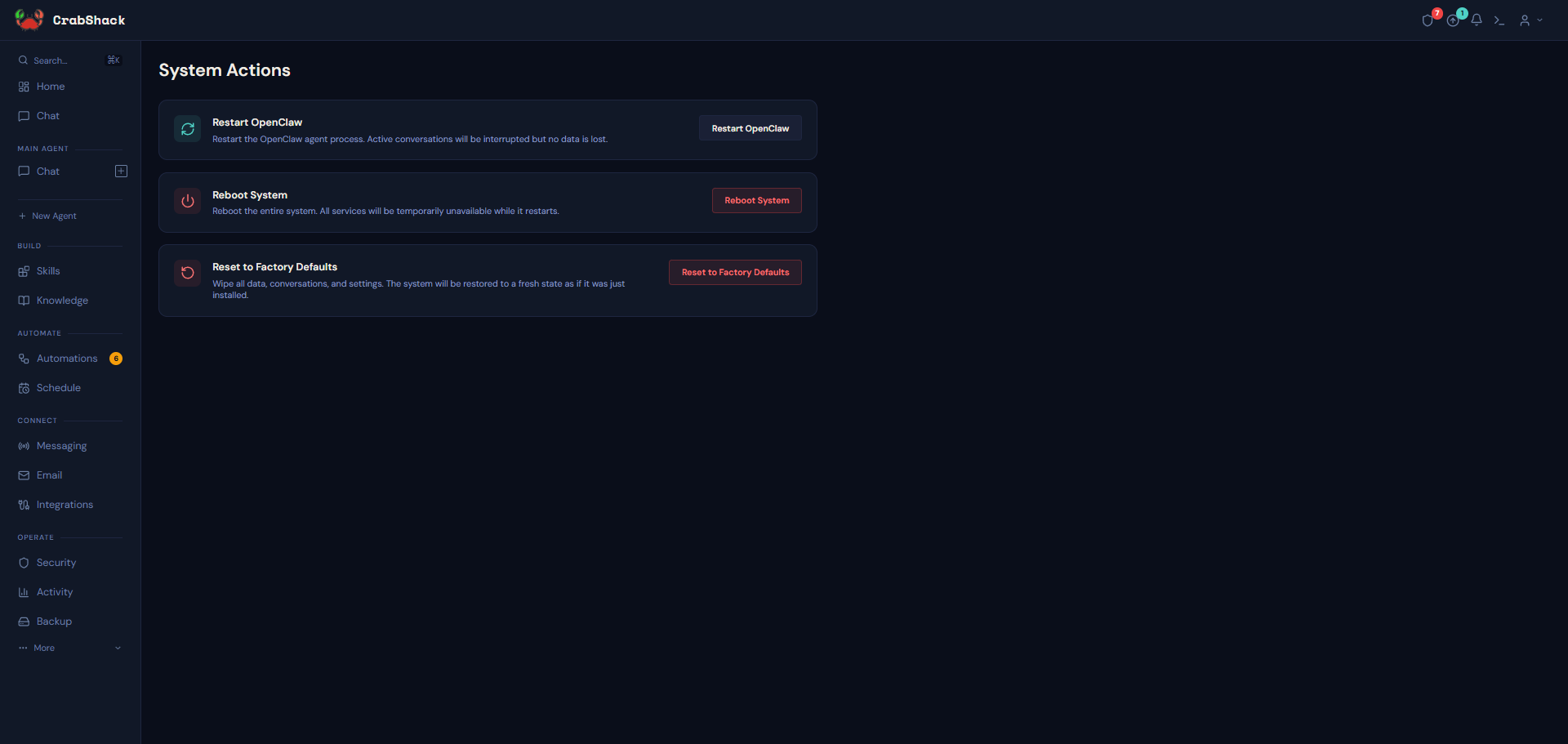
The Actions page (under More) holds a small number of powerful, instance-wide controls: restarting the agent process, rebooting the whole system, and resetting everything back to factory defaults. Every action requires a confirmation before it runs.
Why It Matters
These aren't everyday settings — they're recovery tools for when something's stuck or you genuinely want a clean slate. Because a couple of them are irreversible, it's worth knowing exactly what each one does before you need one in a hurry.
The Three Actions
- Restart OpenClaw — restarts the agent engine process itself ("OpenClaw" is the name of that underlying engine). Active conversations are interrupted, but no data is lost. Use this if an agent seems stuck or unresponsive.
- Reboot System — reboots the entire instance. All services are briefly unavailable while it comes back up; CrabShack shows a live status and confirms once everything's back online.
- Reset to Factory Defaults — permanently wipes all data, conversations, and settings, restoring the instance to the same blank state as right after install — you'll go through the setup wizard again from scratch, including reconnecting channels, integrations, and model services. This cannot be undone.
Take a backup — or click Backup now — before a factory reset, not after, and confirm it finished successfully before you proceed. Once you click confirm on the reset, there is no way to recover what's wiped except restoring from a completed backup.
If This Goes Wrong
- An agent seems stuck — try Restart OpenClaw first; it's the least disruptive option and doesn't lose data.
- The whole instance seems unresponsive — use Reboot System; CrabShack will poll until it's back and confirm.
- You triggered Factory Reset by mistake — there's no undo once confirmed; restoring from a recent backup is your only recovery path, so keep backups on if you're ever going to use this page.
Other Advanced Tools
A few more utility pages live under More for troubleshooting and support, and are unlikely to be something you need day-to-day:
- Browser shows a live view of what your agent sees when it browses the web on your behalf.
- System Logs is a raw, real-time log viewer — mainly useful if support asks you to download a log bundle for them.
- Packages lists the software installed on your instance — informational only.
Related
- Backups — protecting your data before using a destructive action