Workflow Templates
What It Does
Built-in templates give you a ready-to-run workflow for common jobs, so you don't have to design the states and rules yourself.
Available Templates
From the Automations page's Library tab:
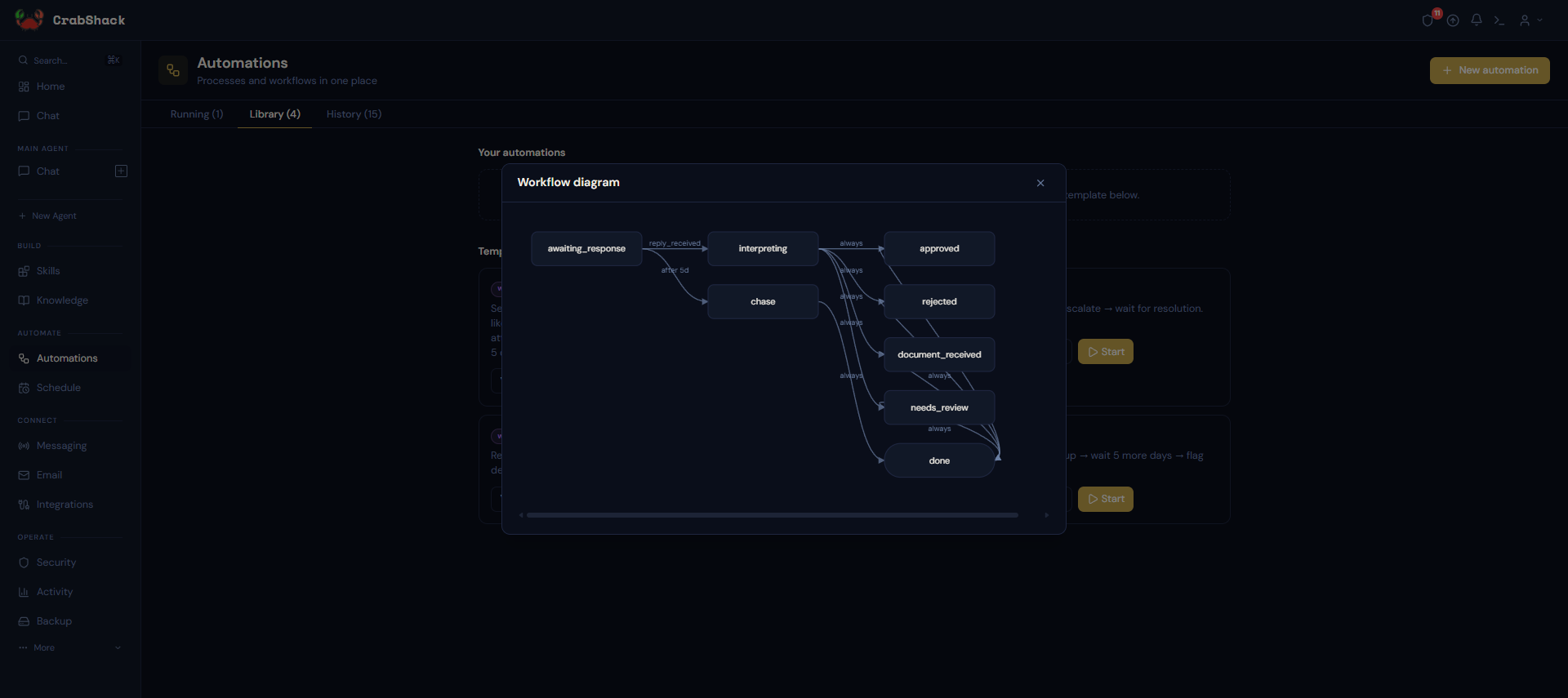
- Invoice approval — send an invoice, interpret the reply (approved, rejected, needs a document, unclear), and chase automatically after 5 days of silence.
- SLA tracker — track an open item, escalate if it isn't resolved within a day, and keep waiting until it is.
- Approval with escalation — request approval, escalate to a manager if there's no response, and auto-reject after a deadline.
- Email follow-up chain — send a message, follow up after 3 days without a reply, and flag it for attention after 5 more.
Templates are organized into categories (Customers, Sales, Operations, and more), each with a plain-language summary of what it does above the technical detail — so you can find a fit without reading the full definition.
Using a Template
Click Start to run a template immediately, Preview to see its diagram first, or Customize to get an editable copy before running it. If a template needs some information from you to run (like a recipient or a subject), you'll see a short form before it starts — you won't be asked to fill in technical details it doesn't need.